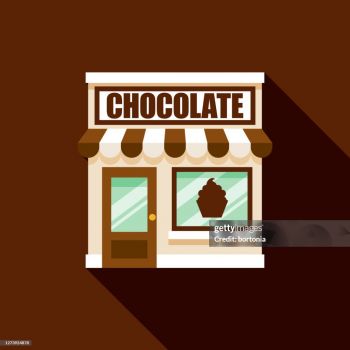
Chocolate Shop
 Sword Masters
 Heads Mayhem
 Head Soccer
 Level Devil 2
 Super Mario 64
 Block Blast 3D
 Retro Bowl
 Merge Fruit
 Capybara Collector
 Backflipper
 Papery Planes
 Perfect Piano
 Dunkers Fight 2P
 TopGuns.io
 Fly Car Stunt
 Confront
 Sprinter
 Nature Strikes Back
 Dumb Ways to Die 2
 Hungry Shark Arena: Horror Night
 Fearless Rider
 Blumgi Castle
 Rolling Ball
 Bee Connect
 Mutazone
 Endless Siege
 Snakes And Ladders
 Sink It
 Crab & Fish
 Heroes of Match 3
 Mahjoctopus
 Moto X3M
 Space Waves
 Paper.io 2
 PolyTrack
 Deadshot.io
 Golf Orbit
 Capybara Clicker
 Slope 3
 Electron Dash
 Geometry Dash Bloodbath
 Basketball Stars
 Subway Surfers: Haunted Hood
 Color Tunnel
 Geometry Dash Deadlocked
 Geometry Dash Breeze
 Car Racer
 Curve Rush
 ICEY
 Cubes 2048
 Death Run 3D
 Bus Stop Jam
 Basket Random
 Geometry Jump 2
 Geometry Dash Lite
 Geometry Dash Subzero
 Dreadhead Parkour
 Long Board Crasher
 Slope Game
 Happy Wheels
 Marble Run 3D
 Geometry Dash Scratch
 Subway Surfers Lucy
 Sprunki Survival
 Alone on Island
 Geometry Dash Spam
 Red Ball 4
 Candy Crush
 Geometry Jump
 Tap Road
 Geometry Dash 3D
 Metal Shooter Slug
 Hexa Puzzle
 Geometry Dash Meltdown
 Geometry Vibes
 Tap Tap Shots
 Red Ball 4: Volume 3
 Geometry Dash World
 Slope Ball
 Run 3
 Milk The Cow
 Block Jam
 Slope Run
 Red Ball 4: Volume 2
 Raft Wars
 Slope 2
 Drift Boss
 Apple Worm
 Cookie Clicker City
 Impossible Bus Stunt
 Bank Robbery 2
 Galaxy Shooter
 Happy Glass
 Fantasy Helix
 Math Cross
 Tic Tac Toe
 Geometry Arrow
 Bloons Tower Defense
 RPG Pixel Hero: Crimson Quest
 Hero Clicker
 Metal Wing
 Woodnuts Bolts Puzzle
 Thumb Wars
 Block Blast
 Helix Jumping
 Jelly Merge
What is Chocolate Shop
Chocolate Shop is an online simulation game that invites players to run their own confectionery business. The core experience revolves around creating a variety of chocolate treats, serving customers, and expanding the shop over time. The game is designed for casual gamers who enjoy management challenges and the sweet satisfaction of seeing a virtual shop thrive. Visuals are bright and inviting, and the interface is built for quick sessions that can be enjoyed on a desktop browser.
Getting Started in the Chocolate Shop
When you first open the game you are presented with a modest storefront and a limited selection of ingredients. The initial goal is to prepare simple chocolate items and sell them to the first wave of customers. As you earn coins you can purchase additional tools, unlock new recipes, and decorate the shop to attract more visitors.
First steps for new players
Begin by familiarising yourself with the main menu. Look for the area where ingredients are stored and the space where finished products are displayed. Click on an ingredient to add it to the preparation area, then follow the on‑screen prompts to combine items into a chocolate treat. Once the treat is ready, drag it to the serving counter where customers will select it. Each successful sale adds to your total earnings.
Managing your inventory
Keeping a steady supply of ingredients is essential. Purchase raw cocoa, sugar, and milk in small batches at first to avoid wasting coins. As your shop grows you will have the option to buy in bulk, which reduces the cost per unit. Regularly check the inventory panel to ensure you do not run out of key items during busy periods.
Effective Strategies for Managing Your Chocolate Business
Success in Chocolate Shop depends on a balance between speed, quality, and expansion. Below are several practical tips that can help you improve your performance and enjoy a longer play session.
Prioritise quick orders
Customers who request simple treats can be served faster, allowing you to complete more transactions in a short time. Focus on these orders early in each round, then move on to more complex recipes when you have a steady flow of income.
Upgrade equipment wisely
Each upgrade reduces the time required to prepare a chocolate item or increases the amount of profit earned per sale. Evaluate the cost of an upgrade against the potential earnings boost. Upgrading the mixing station early often yields the greatest benefit because it speeds up all subsequent recipes.
Decorate to increase foot traffic
The game includes decorative items such as banners, plants, and lighting. Adding these elements not only makes the shop look appealing but also raises the number of customers who enter each day. Choose decorations that fit your budget and provide the highest increase in visitor count.
Plan for peak periods
At certain times the game will signal a rush of customers. Anticipate these moments by preparing a stock of ready‑to‑sell treats in advance. This preparation reduces waiting time and maximises the profit earned during high demand.
Frequently Asked Questions
Can I play Chocolate Shop on a mobile device
The game runs in a web browser and is compatible with most modern mobile browsers. While the interface is optimised for desktop, you can still enjoy a full session on a tablet or smartphone.
How do I unlock new chocolate recipes
New recipes become available after you have earned a certain amount of coins or after you have completed a specific number of sales. The game will display a notification when a recipe is ready to be unlocked.
Is there a limit to how many upgrades I can purchase
Upgrades are tied to the level of your shop. As you progress and increase your shop level, additional upgrade slots become available. There is no fixed cap; the game encourages continuous improvement.
What happens if I run out of an ingredient
If an ingredient is depleted the preparation of related chocolate items will pause until you restock. The game will alert you with a visual cue, allowing you to purchase more before customers become impatient.
Can I save my progress and return later
Chocolate Shop automatically saves your current state in the browser. When you close the tab and reopen the game later your shop will be exactly as you left it, ready for the next session.